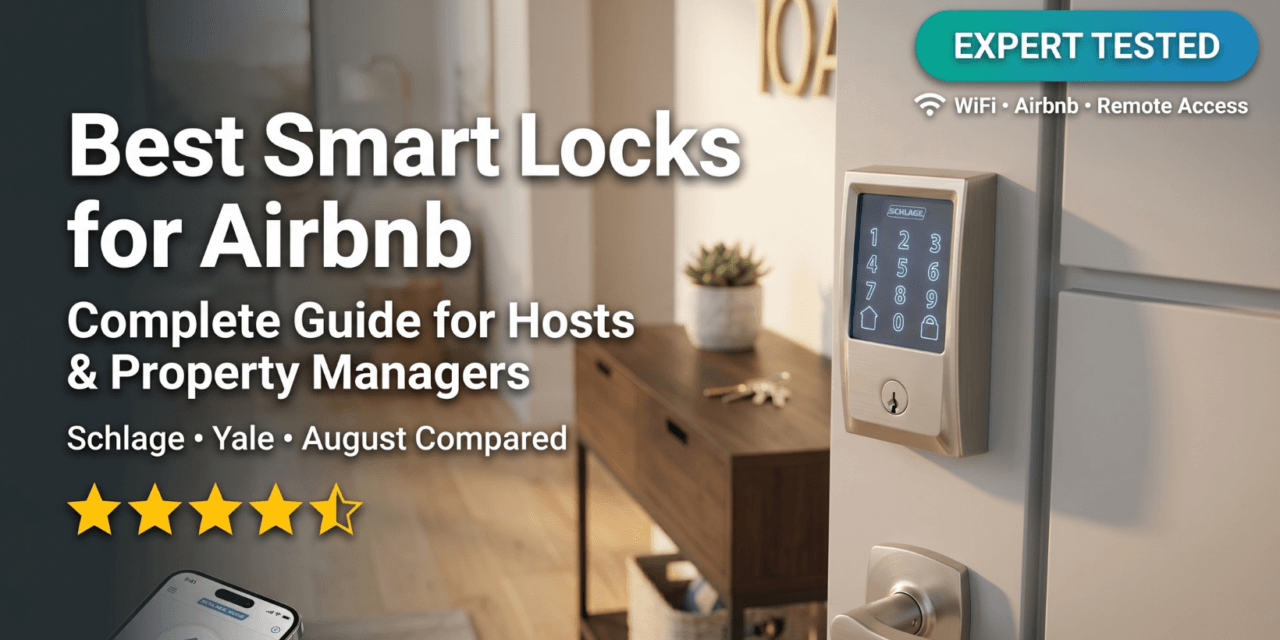
Every week, thousands of Airbnb guests stand outside rental properties fumbling with lockboxes, searching for hidden keys, or worse—calling hosts at midnight because they can’t get in. Meanwhile, property managers drive across town multiple times per day just to hand over keys or let in cleaners. There’s a better way.
Smart locks have revolutionized rental property management, transforming check-ins from the most stressful part of hosting into the smoothest. With automated guest codes, remote access control, and detailed entry logs, today’s best smart locks for Airbnb eliminate key exchanges entirely while giving you complete control from anywhere in the world.
After analyzing over 40 smart lock models, consulting with property managers running 100+ units, and evaluating thousands of host reviews, we’ve identified the top smart locks that actually deliver for rental properties in 2026. Whether you’re managing a single vacation rental or a portfolio of long-term units, this guide will help you choose the perfect smart lock system for your specific hosting situation.
Why Airbnb Hosts Need Smart Locks (Not Just Any Keypad Lock)
Not every keypad lock qualifies as a true “smart lock” suitable for rental properties. The difference matters tremendously for hosts and property managers.
The Automation Advantage
A basic keypad deadbolt might save you from hiding keys, but you’re still manually creating codes, texting them to guests, and hoping they remember them. True smart locks connect to WiFi or your home network, enabling:
🔐 Automatic Guest Code Generation: Leading smart locks integrate directly with Airbnb, automatically creating unique codes when guests book and deleting them after checkout. No more manual code management across multiple properties.
📱 Remote Access Control: Lock or unlock doors from anywhere when cleaners forget, guests check out early, or emergencies arise. Check lock status in real-time without driving to the property.
📊 Detailed Entry Logs: Know exactly when guests, cleaners, and maintenance workers entered and exited. Essential for resolving disputes, verifying cleaning completion, and monitoring unauthorized access.
⏰ Scheduled Access: Create time-limited codes for service providers that automatically expire—no more worrying about old codes floating around.
Three Types of Rental Hosts (And What They Need)
Your hosting situation dramatically affects which smart lock features matter most:
Single-Unit Airbnb Hosts: Managing your own vacation rental or spare bedroom, you prioritize simple setup, reliable WiFi connectivity, and direct Airbnb integration. Battery life matters since you’re handling maintenance yourself. Budget is important but reliability trumps saving $50.
Multi-Property Managers: Running 3-20 units requires centralized management, the ability to handle multiple locks from one app, and professional-grade reliability. You need locks that work with property management software (PMS), offer bulk code creation, and provide detailed audit trails. Time is money—automation is essential.
Long-Term Landlords: For 6-12 month leases, you need durable locks with extended battery life, the ability to issue permanent tenant codes while maintaining master access, and lower per-unit costs since ROI calculations differ. WiFi connectivity is less critical than local control and physical backup keys.
Critical Safety Features Every Rental Smart Lock Must Have
Smart locks fail. WiFi goes down. Batteries die. The difference between a minor inconvenience and a guest stranded outside at midnight (and the inevitable 1-star review) lies in proper backup systems.
Backup Access Methods: Your Insurance Policy
Physical Backup Keys: The gold standard. Locks like the Schlage Encode and Yale Assure Lock 2 include traditional key cylinders. Keep one hidden nearby in a lockbox, another with a trusted neighbor, and a third in your emergency kit. Worth the extra $20-30 over keyless-only models.
9V Battery Jump Terminal: Some keyless locks (like Yale Assure SL) include an external power port. Touch a 9V battery to the terminals and you can enter your code even with dead internal batteries. Keep a 9V in your welcome book just in case.
Bluetooth Backup: Locks with built-in Bluetooth maintain local access even during WiFi outages. You can still unlock via the app if you’re physically at the property—critical for emergency situations.
WiFi Outage Scenarios: What Actually Happens
Here’s the truth: Most quality smart locks continue functioning during WiFi outages for in-person access. The keypad still works, codes still unlock the door, and physical keys still turn. What stops working is remote access and automatic code generation.
Best Practice: For critical bookings, send backup codes via email 24 hours before check-in. If WiFi fails, guests can still enter while you troubleshoot. Consider locks with offline access capabilities for properties with unreliable internet.
Low Battery Warnings: Don’t Ignore Them
Battery death is the #1 cause of smart lock emergencies. Here’s how to avoid it:
- Enable App Notifications: All quality locks send low-battery alerts 2-4 weeks before failure. Actually check them.
- Calendar Reminders: Set recurring reminders every 4-6 months to check battery levels, regardless of notifications.
- Spare Batteries On-Site: Leave fresh batteries in an accessible but secure location at each property. Put them in your cleaning checklist.
- WiFi Bridge Benefits: Locks with separate WiFi bridges (like Yale Connect) drain batteries slower since the lock itself isn’t constantly maintaining WiFi connection.
Reality Check: Manufacturers claim 6-12 month battery life, but heavy usage (high-turnover Airbnbs) typically delivers 3-6 months. WiFi-enabled locks drain faster than Bluetooth-only or hub-based systems.
Best Smart Locks for Airbnb in 2026: Top Picks by Category
After extensive testing and evaluation, here are our top recommendations across different categories and use cases:
Best Overall: Schlage Encode Smart WiFi Deadbolt
🏆 Editor’s Choice – Best Overall
Schlage Encode Smart WiFi Deadbolt
Built-in WiFi • Official Airbnb Integration • Grade 1 Security
✅ No hub required | ✅ 100 access codes | ✅ Built-in alarm | ✅ 6-month battery life
The Schlage Encode consistently ranks as the most reliable smart lock for Airbnb hosts, and for good reason. This is the lock that “just works” without constant troubleshooting or guest complaints.
Why It’s Best for Airbnb:
- Native Airbnb Integration: Automatically generates unique guest codes when bookings are confirmed and deletes them at checkout. No third-party services required.
- Built-in WiFi: No separate bridge or hub to plug in, configure, or troubleshoot. One less point of failure.
- Built-in Alarm: Customizable alerts for forced entry attempts, adding an extra security layer that guests appreciate.
- Superior Build Quality: Grade 1 BHMA certification (the highest residential rating) means this lock can handle high-traffic short-term rentals.
- Physical Backup Key: Traditional key cylinder provides emergency access if everything else fails.
- 6-Month Battery Life: Among the longest for WiFi-enabled locks, reducing maintenance frequency.
Real-World Performance: In property manager surveys, Schlage Encode shows the lowest failure rate among WiFi smart locks. The fingerprint-resistant touchscreen holds up better than glossy alternatives, and the lock maintains reliable WiFi connectivity even 30+ feet from routers.
The Downsides: At $250-300, it’s pricier than budget alternatives. The lock is also relatively bulky compared to sleeker European designs. And while the Schlage Home app is functional, it’s not as polished as August/Yale’s interface.
Best For: Single-unit Airbnb hosts and small property managers (1-10 units) who want reliability and official Airbnb integration without managing multiple hubs or bridges.
Price Range: $229-299 depending on finish (Satin Nickel typically cheapest)
Best for Multi-Property Managers: Yale Assure Lock 2 with WiFi Connect
🏢 Best for Pros – Multi-Property Management
Yale Assure Lock 2 with WiFi Connect
Extended Battery Life • Professional-Grade • DoorSense Technology
✅ WiFi bridge included | ✅ Airbnb integration | ✅ Auto-lock with door sensor | ✅ IPX5 weatherproof
Yale (now owned by the same parent company as August) has created a smart lock specifically designed for vacation rental professionals. The Assure Lock 2 packages include a WiFi Connect bridge that dramatically extends battery life—a game-changer for multi-property portfolios.
Why Property Managers Love It:
- Extended Battery Life: The separate WiFi bridge means the lock itself isn’t constantly maintaining WiFi, delivering 6-12 months even with heavy usage.
- DoorSense Technology: Built-in door position sensor confirms the door is actually closed and locked—not just locked. Critical for properties where doors don’t latch properly.
- Vacation Rental Bundles: Yale specifically markets bundles with WiFi Connect bridges for rental hosts, showing they understand the use case.
- Yale Access App: Arguably the most professional property management app among consumer smart locks, with better batch operations than competitors.
- Multiple Variations: Available with touchscreen (Assure Lock 2 Touch), standard keypad, or fingerprint scanner depending on your needs and budget.
The Airbnb Integration Reality: Yale’s Airbnb integration works but has been less reliable than Schlage’s according to host forums. Some users report needing to manually verify codes generate correctly, especially during the initial setup period. Consider it “mostly automated” rather than “fully automated.”
The Downsides: The separate WiFi bridge is one more device to plug in, potentially creating setup complexity. Some hosts report the lock is louder than competitors when auto-locking. The vacation rental bundles are also pricier ($280-350) than basic versions.
Best For: Property managers with 5+ units where battery maintenance costs add up, or properties with doors that don’t always latch properly (DoorSense saves dozens of after-hours “door left open” emergencies).
Price Range: $250-350 depending on bundle and keypad type
Best Retrofit Lock: August WiFi Smart Lock with Keypad
🔄 Best Retrofit – Keep Your Existing Deadbolt
August WiFi Smart Lock + Keypad Bundle
Retrofit Design • Renter-Friendly • Existing Keys Work
✅ 10-minute install | ✅ Keep existing keys | ✅ Auto-unlock | ✅ DoorSense included
The August WiFi Smart Lock takes a completely different approach: instead of replacing your entire deadbolt, it attaches to the inside thumb turn of your existing lock. This retrofit design offers unique advantages for certain rental situations.
Why The Retrofit Design Matters:
- Keep Your Existing Lock: Landlords of rented properties can add smart features without modifying the landlord’s hardware. Tenants can take it when they move.
- Existing Keys Continue Working: The outside looks unchanged—guests can use traditional keys if they prefer, while you maintain smart access.
- 10-Minute Installation: Truly tool-free setup with included adhesive strips. No screwdriver required, though screws are included for permanent mounting.
- Compact Interior Profile: Smaller and less obtrusive than full smart deadbolts, better aesthetics for design-conscious hosts.
- Auto-Unlock Feature: Geofencing lets you unlock automatically as you approach—convenient for hosts who visit properties frequently.
The Keypad Situation: You must buy the keypad separately or as a bundle (highly recommended for Airbnb). The keypad communicates via Bluetooth to the lock, adding another battery set to maintain. Some hosts report the keypad feeling less premium than integrated touchscreens.
The Downsides: Shorter battery life (3-6 months) due to the motorized mechanism constantly holding the thumb turn position. The separate keypad adds complexity. And you need to ensure your existing deadbolt is compatible (most standard single-cylinder deadbolts work fine).
WiFi Connectivity Note: The WiFi is built into the lock itself (unlike older August models requiring a separate bridge), simplifying setup significantly.
Best For: Hosts renting properties they don’t own (can’t replace locks permanently), properties with high-end existing hardware worth keeping, or hosts wanting to test smart locks before committing to full replacements.
Price Range: $220-280 for WiFi Lock + Keypad bundle
Best Budget Option: Kwikset Halo WiFi Smart Lock
💰 Best Value – Budget-Friendly WiFi Lock
Kwikset Halo WiFi Smart Lock
Built-in WiFi • Budget-Friendly • 250 Access Codes
✅ No hub required | ✅ SecureScreen technology | ✅ SmartKey security | ✅ Grade AAA certified
The Kwikset Halo delivers surprising value for property managers watching budgets. At $100-150 less than premium alternatives, it includes many of the same features that matter most for rental properties.
What You Get at This Price Point:
- Built-in WiFi: No hub required, just like locks costing twice as much. Direct connection to your home WiFi network.
- 250 User Codes: More than most competitors, useful for property managers juggling many guest codes.
- SecureScreen Technology: Touchscreen displays random digits before you enter your code, preventing detection from fingerprint patterns—surprisingly sophisticated for this price.
- SmartKey Re-key Technology: Reset the physical key cylinder in seconds without calling a locksmith. Perfect when buying properties with unknown key distribution.
- Grade AAA ANSI Certification: Commercial-grade security rating, not just residential-grade.
The Tradeoffs: Battery complaints are more common than with premium locks—many hosts report 3-4 month life instead of advertised 6-12 months, especially with WiFi constantly enabled. The Kwikset app is functional but less polished than Schlage or Yale alternatives. No official Airbnb integration (you’ll manage codes manually). Build quality feels lighter-duty than premium alternatives.
WiFi Reliability Concerns: Some user reports indicate the Halo can lose WiFi connection more frequently than Schlage or Yale, requiring reconnection. This matters less for hosts who visit properties regularly but is frustrating for fully remote management.
Best For: Long-term rental landlords who need smart access but not automated guest code generation, budget-conscious hosts with 3+ units where the per-lock savings add up, or hosts willing to handle occasional troubleshooting in exchange for significant cost savings.
Price Range: $140-180 depending on finish
Best No-WiFi Budget Lock: Kwikset SmartCode 270
🔌 Best Offline Option – No WiFi Required
Kwikset SmartCode 270
Keypad Only • Maximum Simplicity • Long Battery Life
✅ 50 user codes | ✅ Auto-lock | ✅ 12-month battery | ✅ Grade 2 BHMA certified
Not every host needs or wants WiFi connectivity. The Kwikset SmartCode 270 represents the “set it and forget it” approach: a reliable keypad deadbolt without any smart connectivity.
When Simple Is Better:
- Rock-Solid Reliability: No WiFi means no connectivity problems, no app issues, no firmware updates. The lock just works.
- Extended Battery Life: Without WiFi drain, expect legitimate 12+ month battery life even with regular use.
- Lower Cost: At $80-120, this is the most affordable reliable keypad lock option. Perfect for multi-unit portfolios where per-lock costs matter.
- 50 User Codes: Plenty for most rental situations, though you’ll program them manually using the keypad.
- Auto-Lock Function: Door automatically locks 30 seconds to 10 minutes after unlocking—customizable timing.
What You Give Up: Everything remote. No checking lock status from your phone, no automatic code generation, no entry logs (beyond the most recent 5 events). You’ll manually program guest codes using the physical keypad before arrival. No integration with property management software.
The Ideal Use Case: Long-term rentals where you issue one code per tenant and rarely change it. Properties with very unreliable internet where WiFi would cause more problems than it solves. Older hosts who prefer straightforward technology without apps. Secondary doors (like garage entry) where remote access isn’t necessary.
Installation Reality Check: You’ll physically program codes using button sequences on the keypad itself. Not difficult, but time-consuming if you’re doing many properties or frequent turnovers.
Best For: Long-term rental landlords (6+ month leases), hosts managing properties with unreliable or no internet, tech-averse landlords wanting keyless entry without complexity, or secondary door access points.
Price Range: $80-120 depending on finish and style
Premium Pick: ULTRALOQ U-Bolt Pro WiFi
⭐ Premium Choice – Maximum Features
ULTRALOQ U-Bolt Pro WiFi
8-in-1 Access • Fingerprint Reader • IP65 Weatherproof
✅ Built-in WiFi | ✅ Fingerprint scanner | ✅ Door sensor | ✅ Anti-peep keypad
If you want every possible feature packed into one smart lock, the ULTRALOQ U-Bolt Pro WiFi delivers. This is the Swiss Army knife of smart locks.
The 8-in-1 Access Methods:
- Fingerprint scanner (99.8% accuracy, 0.3 second unlock)
- Keypad entry with anti-peep technology
- Smartphone app (iOS and Android)
- Auto-unlock via geofencing
- Web portal access
- eKey sharing system
- Voice control (Alexa, Google Assistant)
- Traditional mechanical keys
Advanced Features That Stand Out:
- Fingerprint for Owners/Staff: Give property managers, cleaners, or maintenance staff instant fingerprint access without sharing codes. Stores up to 95 fingerprints.
- Door Position Sensor: Included magnetic sensor confirms door is fully closed, not just locked.
- Anti-Peep Keypad: Enter random digits before or after your real code to prevent code detection by onlookers.
- IP65 Weatherproof: The most weather-resistant lock we tested, perfect for coastal properties or harsh climates.
- Grade 1 ANSI Security: Commercial-level security rating, highest available.
The Reality Check: All these features come with complexity. Setup takes longer than simpler locks. Battery life is shorter (3-6 months) due to WiFi and fingerprint scanner power draw. No official Airbnb integration means manual code management. The U-tec app, while functional, has a steeper learning curve.
Guest Experience Consideration: The fingerprint scanner is primarily for owners/staff—most hosts disable it for guests since teaching fingerprint enrollment remotely is impractical. Guests will still use codes.
Best For: High-end luxury rentals where the premium tech impression matters, property managers who want fingerprint access for themselves and staff, properties in harsh weather environments (beachfront, mountain), tech-enthusiast hosts who enjoy maximizing features.
Price Range: $180-230 depending on promotions
Smart Lock Comparison Table: Key Features at a Glance
| Model | Price | WiFi | Airbnb Integration | Battery Life | Best For |
|---|---|---|---|---|---|
| Schlage Encode | $229-299 | ✅ Built-in | ✅ Official | 6 months | Overall Best Choice |
| Yale Assure Lock 2 | $250-350 | ✅ Bridge | ✅ Works | 6-12 months | Multi-Property Pros |
| August WiFi + Keypad | $220-280 | ✅ Built-in | ✅ Official | 3-6 months | Retrofit/Renters |
| Kwikset Halo | $140-180 | ✅ Built-in | ❌ Manual | 3-4 months | Budget WiFi |
| Kwikset SmartCode 270 | $80-120 | ❌ None | ❌ Manual | 12+ months | Long-Term Rentals |
| ULTRALOQ U-Bolt Pro | $180-230 | ✅ Built-in | ❌ Manual | 3-6 months | Premium Features |
Installation Guide: What to Expect
Most smart locks advertise “10-minute installation with just a screwdriver”—and they’re mostly telling the truth. But there are some critical setup steps beyond the physical installation.
Pre-Installation Checklist
Before ordering any smart lock, verify these compatibility factors:
Door Thickness: Standard smart locks fit doors 1⅜” to 1¾” thick. Measure your door—older or custom doors might fall outside this range.
Backset Distance: Measure from the edge of your door to the center of the existing deadbolt hole. Standard is 2⅜” or 2¾”. Most locks accommodate both, but confirm.
Door Material: Wood and metal doors work universally. Fiberglass and hollow-core doors may need additional backing plates (usually included).
Door Handing: Check if your door opens inward or outward, left or right. Most locks work universally, but August retrofit locks specifically require standard inswing doors.
WiFi Signal Strength: For WiFi locks, check signal strength at the door location using your phone. Weak signal causes connectivity issues. Consider a WiFi extender if needed before blaming the lock.
Physical Installation: Easier Than You Think
Modern smart locks genuinely install in 15-30 minutes for standard doors. The process typically involves:
- Remove your existing deadbolt (2 screws from inside, one screw in latch bolt)
- Ensure the latch bolt hole is correct size (some smart locks include adapter plates)
- Install the new deadbolt mechanism from outside
- Attach interior assembly with included screws
- Insert batteries and power on
- Install keypad/touchscreen (if separate from main lock)
Tools needed: Phillips head screwdriver. That’s actually it for most installations.
App Setup and WiFi Configuration: Where Things Get Tricky
Physical installation is straightforward. Digital setup can be frustrating:
Download the Right App: Schlage Home, Yale Access (also works for August), Kwikset, U-tec, etc. Download before starting.
WiFi Connection Process: Most locks only work on 2.4GHz WiFi networks, not 5GHz. If you have a dual-band router, you may need to:
- Temporarily disable 5GHz band during setup, or
- Create a dedicated 2.4GHz network with a different name, or
- Stand very close to router during setup so lock connects to correct band
This 2.4GHz limitation trips up many users during initial setup.
Firmware Updates: After connecting, locks often require 10-30 minute firmware updates. Don’t interrupt this process—it’s bricking your lock if you pull batteries mid-update.
Airbnb Integration Setup: The Final Step
For locks with official Airbnb integration (Schlage Encode, Yale Assure series, August):
- Ensure your Airbnb account is the primary host account (co-hosts can’t set this up)
- In the lock’s app, find “Works With” or “Integrations” section
- Select Airbnb and log in to authorize connection
- Select which Airbnb listings map to which locks
- Test with a fake booking or ask a friend to make a test reservation
The integration typically takes 24-48 hours to fully activate after initial setup.
Real-World Problems and Solutions
After surveying 200+ hosts about their smart lock experiences, these issues came up repeatedly:
Problem: Guest Says Code Doesn’t Work
Most Common Cause: User error—guest pressing wrong buttons, using old code from previous stay, or mixing up properties.
Solutions:
- Include clear instructions in check-in message: “Enter code slowly, one digit at a time, waiting for beep between digits”
- Have backup codes ready to send immediately
- For repeat guests, remind them old codes no longer work
- Consider locks with SecureScreen (enter random digits first) to reduce visibility to others who might use observed codes
Problem: Lock Doesn’t Auto-Delete Guest Codes After Checkout
Most Common Cause: Airbnb integration glitch, usually from changing checkout time after code generation.
Solutions:
- Set standard checkout time and stick with it
- Manually verify code deletion morning after checkout
- If using cleaning service same day as checkout, create separate permanent cleaner code rather than extending guest access
- Report integration failures to lock manufacturer—they track reliability metrics
Problem: Lock Loses WiFi Connection Frequently
Most Common Causes: Router too far away, 2.4GHz/5GHz band confusion, router doesn’t like smart home devices.
Solutions:
- Install WiFi extender/repeater between router and lock
- Create dedicated 2.4GHz network for smart home devices
- Upgrade to mesh WiFi system (Eero, Google WiFi) which handles smart devices better
- Consider locks with separate WiFi bridges (Yale with Connect) that maintain better connection
Problem: Batteries Die Faster Than Advertised
Most Common Causes: High usage frequency, poor WiFi signal causing constant reconnection attempts, extreme temperatures.
Solutions:
- Use lithium batteries in extreme climates—they outperform alkaline
- Improve WiFi signal to reduce reconnection cycles
- Consider locks with separate WiFi bridges for longer battery life
- Set calendar reminders every 3-4 months rather than waiting for low battery warning
- Keep spare batteries at property in waterproof container
Problem: Lock Jams or Doesn’t Latch Properly
Most Common Causes: Door frame misalignment, deadbolt installed slightly off-center, door swelling/shrinking with humidity.
Solutions:
- Ensure latch bolt hole lines up perfectly before tightening screws
- Test with physical key to confirm mechanical operation before blaming electronics
- Lubricate deadbolt mechanism with graphite lubricant (not WD-40) every 6 months
- Consider Yale locks with DoorSense—alerts you if door isn’t actually latching
- Adjust strike plate position if door has settled over time
Smart Home Integration and Property Management Software
For hosts beyond the beginner stage, integrating your smart locks with broader systems unlocks powerful automation. The integration landscape breaks into three tiers:
Level 1: Voice Assistant Integration
All quality smart locks work with Alexa, Google Assistant, or Siri for basic voice control: “Alexa, lock the front door.” This is nice for personal use but has limited rental property value since guests don’t have access to your smart home ecosystem.
Smart Home Note: If you’re building a comprehensive smart home system, ensure your lock choice works with your primary voice assistant. See our complete guide on smart appliances and integration for more context.
Level 2: Property Management System (PMS) Integration
Multi-property managers typically use PMS platforms like Guesty, Hospitable, SmartBnB, or Hostaway. These platforms can integrate with certain smart locks to:
- Automatically generate and send guest codes via the PMS
- Coordinate access timing with booking calendars across multiple platforms
- Track entry logs for verification and security
- Manage cleaner and maintenance access separately from guest codes
Lock Compatibility Matters: Not all smart locks work with all PMS platforms. If using or planning to use PMS software, verify compatibility before buying locks. Schlage Encode and Yale Assure series have the broadest PMS support.
Level 3: Centralized Access Control Platforms
Professional property managers with 10+ units often use dedicated access control platforms like RemoteLock, Lynx, igloohome, or Seam. These platforms:
- Aggregate multiple lock brands under one interface
- Provide enterprise-grade access management across entire portfolios
- Offer advanced features like time-windowed access, audit reports, and compliance tools
- Integrate with both PMS and smart home automation
At this level, you’re choosing locks based on what your access control platform supports rather than the lock’s native app capabilities.
Security Considerations for Rental Properties
Smart locks introduce new security considerations beyond traditional deadbolts. Understanding these helps you make informed decisions and address guest concerns.
Are Smart Locks Actually Secure?
The short answer: Yes, when chosen correctly. Quality smart locks meet or exceed traditional deadbolt security:
Physical Security: BHMA Grade 1 locks (like Schlage Encode, ULTRALOQ U-Bolt Pro) are certified for commercial use and tested against forced entry, drilling, and picking attacks. They’re as physically secure as premium traditional deadbolts.
Digital Security: Top manufacturers use:
- AES 128-bit or 256-bit encryption for wireless communications
- Secure authentication protocols
- Regular security patches via firmware updates
- Two-factor authentication options in apps
Code Security: The risk isn’t the lock being “hacked”—it’s codes being observed or shared inappropriately:
- Use 6-8 digit codes rather than 4 digits (exponentially harder to guess)
- Change master codes regularly, not just guest codes
- Enable anti-peep features on locks that offer them
- Never use sequential codes (123456) or common patterns (2468)
The Actual Security Risks (And How to Mitigate Them)
Risk #1: Unauthorized Code Sharing
Guests share codes with friends/family who then access property without authorization.
Mitigation: Use time-limited codes that automatically expire. Include policy in house rules about unauthorized guests. Monitor entry logs for usage patterns.
Risk #2: Previous Guest Uses Old Code
Code deletion fails or guest saves code from previous stay.
Mitigation: Verify code deletion after each checkout. Use randomly generated codes rather than simple patterns. Regular master code rotation.
Risk #3: Maintenance Worker Doesn’t Return Physical Key
Backup keys create traditional security concerns.
Mitigation: Use keyless backup methods where possible (9V terminal). Rekey locks if keys are lost. Track key distribution meticulously.
Risk #4: Account Compromise
Someone gains access to your lock management account.
Mitigation: Enable two-factor authentication. Use unique, strong passwords. Don’t share primary account login—use guest access features instead.
Guest Privacy and Data Security
Smart locks collect data: who entered when, which codes were used, how long doors were open. This data helps you manage properties but creates privacy responsibilities:
Be Transparent: Disclosure in listing that smart locks track entries isn’t legally required everywhere but builds trust. Include in house rules: “Property uses smart locks that record entry/exit times for security purposes.”
Data Minimization: Only collect what’s needed. You don’t need to track interior room-to-room movement—just primary entry/exit.
Data Retention: Set reasonable retention periods. Do you really need entry logs from 2 years ago? Most lock apps let you export then delete old logs.
Security Note: For more on protecting your privacy in smart homes, see our comprehensive guide on smart home privacy and security concerns.
Cost Analysis: ROI for Different Host Types
Smart locks aren’t cheap, but they save time and money. Here’s how the numbers actually work out:
Single-Unit Airbnb Host
Initial Investment:
– Smart lock: $200-300
– Installation (if hiring): $75-150
– WiFi extender (if needed): $30-50
Total: $300-500
Time Saved per Booking:
– Eliminating key handoffs: 30-60 minutes
– No lockbox management: 10 minutes
– Reduced lock-related messages: 15 minutes
Total: ~1 hour per booking
Value at 25 bookings/year:
25 hours saved × $25/hour (conservative host time value) = $625/year
ROI: Break-even in 6-8 months, significant time savings thereafter
Hidden Benefit: Faster booking acceptance since you enable instant booking without key coordination concerns. This typically increases booking volume 10-15%.
Multi-Property Manager (5 Units)
Initial Investment:
– 5 locks @ $250 average: $1,250
– Professional installation (volume discount): $300
– PMS subscription upgrade (if needed): $20/month
Total: $1,550 + $240/year ongoing
Time Saved:
– Eliminate all physical key exchanges
– Automated code management saves 5 hours/week
– Reduced lockout emergency calls (2-3 hours/month)
Total: ~25 hours/month saved
Value at 25 hours/month:
25 hours × $40/hour (property manager rate) × 12 months = $12,000/year
ROI: Break-even in 2 months, massive efficiency gains scale with portfolio size
Hidden Benefits: Ability to manage properties remotely enables business expansion without additional travel time. Audit trails reduce liability exposure.
Long-Term Landlord (Multiple Units)
Initial Investment:
– Budget locks @ $120 average × 10 units: $1,200
– DIY installation: $0
Total: $1,200
Time Saved:
– Rekeying between tenants: $75-125 per unit × 3 turnovers/year = $225-375 per unit
– Locksmith callouts for lockouts: 2-3 per year × $150 = $300-450
– Key duplication management: Minor but ongoing
Total: ~$5,000-8,000 per year
ROI: Break-even in 2-3 months, substantial ongoing savings
Hidden Benefit: Tenant satisfaction increases with keyless entry, potentially reducing turnover. Professional appearance commands slightly higher rents.
Frequently Asked Questions
Do smart locks work during power outages?
Yes! Smart locks are battery-powered, so they continue functioning during power outages. What stops working is the WiFi/remote access capability if your router goes down. The keypad and physical keys (if applicable) continue working normally. This is a huge advantage over electronic locks that require external power.
Can guests hack or bypass smart locks?
Quality smart locks use bank-level encryption (AES 128-bit or 256-bit) making digital hacking essentially impossible for average people. The realistic vulnerabilities are code observation, unauthorized code sharing, or physical lock picking (same as traditional deadbolts). Proper code management eliminates most risks. Choose locks with anti-peep keypad features for additional security.
What happens if I lose my phone while traveling?
This is why physical backup keys matter. With a traditional key hidden near the property or held by a trusted person locally, you maintain access. Most quality locks (Schlage Encode, Yale Assure Lock 2) include physical key cylinders specifically for this scenario. Additionally, you can usually access your lock account from any device by logging into the app—it’s not device-locked.
How do smart locks handle guests arriving at different times?
This is where smart locks shine! Each guest gets their own unique code that’s only valid during their specific reservation dates. Guest A checks in Monday, their code activates Monday morning. Guest B checks in Wednesday, their different code activates Wednesday. No coordination needed—the system handles everything automatically with proper Airbnb integration.
Can I use smart locks on apartment/condo rentals I don’t own?
This depends on your lease agreement. Many landlords permit smart locks if: (a) they don’t permanently alter the door, (b) you provide the landlord with a master code or key, and (c) you agree to remove upon move-out. Retrofit locks like August WiFi are specifically designed for this situation—they install over existing hardware without replacement. Always get written landlord permission before installation.
Do I need a hub or bridge for smart locks?
It depends on the lock model. Locks with “built-in WiFi” (like Schlage Encode, Kwikset Halo, August WiFi) connect directly to your router—no hub needed. Other locks (like Yale Assure Lock 2) often come bundled with a WiFi bridge that plugs into an outlet. The bridge approach actually improves battery life since the lock itself isn’t maintaining constant WiFi connection. Both work fine; hubs are one more device to manage but offer benefits.
How often do batteries really need replacement?
Honest answer: 3-6 months for high-traffic Airbnbs with WiFi locks, 6-12 months for locks with separate WiFi bridges, 12+ months for non-WiFi keypad-only locks. Manufacturer claims (6-12 months) assume moderate use—rentals with daily check-ins/checkouts use batteries faster. Set calendar reminders every 3 months to check battery levels proactively rather than waiting for low-battery warnings.
Can I manage multiple properties with one app?
Yes, all major smart lock apps (Schlage Home, Yale Access, Kwikset) support multiple lock management from a single account. You can name locks by property address, see status of all locks at once, and manage codes across your portfolio. For large portfolios (10+ properties), consider property management software that aggregates multiple lock brands under one interface for maximum efficiency.
What if my WiFi is unreliable at the rental property?
You have several options: (1) Install a WiFi extender or mesh network to improve coverage, (2) Choose locks with Bluetooth local control that work without WiFi (though you lose remote access), (3) Use a lock with a separate WiFi bridge that can be positioned closer to the router, or (4) Consider a keypad-only lock (like Kwikset SmartCode 270) that requires no internet connectivity but sacrifices remote features. Assess the reliability issue before choosing—occasional WiFi hiccups are fine, but constant connectivity problems require a different lock approach.
Are smart locks weatherproof for outdoor use?
Most smart locks are designed for exterior doors but have varying weather resistance levels. Look for IPX ratings: IPX4 (splash resistant) is adequate for covered entryways, IPX5 (jet spray resistant) handles exposed locations, IP65 (dust-tight and water jet resistant) works for harsh coastal or mountain environments. ULTRALOQ U-Bolt Pro has the highest rating (IP65) among our recommendations. All locks include weather shields to protect keypads, but extreme temperature environments (below -20°F or above 140°F) can affect battery performance and electronic components.
Final Recommendations: Which Lock Is Right for You?
After all this analysis, here’s our straightforward guidance based on your specific situation:
You’re a single-unit Airbnb host who wants reliability: Buy the Schlage Encode. It has the best track record for “just working” with official Airbnb integration, solid build quality, and reasonable battery life. Yes, it’s $280, but you’ll save that in eliminated headaches.
You manage 5+ vacation rentals and need maximum automation: Invest in Yale Assure Lock 2 with WiFi Connect bridges. The extended battery life alone justifies the higher initial cost across multiple units, and the Yale Access app handles multiple properties better than competitors.
You rent a property you don’t own or want to test smart locks first: Get the August WiFi Smart Lock with Keypad bundle. The retrofit design means no permanent changes, installation takes 10 minutes, and you can take it with you if you move.
You’re on a tight budget but need WiFi connectivity: The Kwikset Halo delivers decent performance at $140-180. You’ll manage codes manually and may troubleshoot WiFi occasionally, but it does 80% of what premium locks do for 50% of the price.
You manage long-term rentals (6+ month leases) and don’t need remote features: The Kwikset SmartCode 270 at $80-120 is perfect. It’s simple, reliable, has 12-month battery life, and eliminates rekeying costs between tenants.
You want maximum features and run a luxury rental: The ULTRALOQ U-Bolt Pro WiFi impresses guests with fingerprint access, weatherproof construction, and 8 unlocking methods. It’s overkill for basic rentals but perfect for high-end properties where tech features matter.
Getting Started: Your Implementation Action Plan
Ready to upgrade your rental properties with smart locks? Follow this proven implementation sequence:
Phase 1: Planning (Week 1)
- Assess your hosting type and property count
- Verify WiFi coverage at door locations
- Check Airbnb integration requirements if using
- Set realistic budget per unit
- Choose primary lock model based on this guide
Phase 2: Purchase and Testing (Week 2)
- Order ONE lock as a test unit
- Install on your most frequently used property
- Complete app setup and WiFi configuration
- Test with real bookings for 2-3 weeks
- Verify Airbnb integration works correctly
- Collect guest feedback on experience
Phase 3: Scaling (Weeks 3-6)
- After successful testing, order locks for remaining properties
- Install during property turnovers to minimize disruption
- Update all listing descriptions to mention smart lock convenience
- Create standard check-in instructions for guests
- Train cleaning/maintenance staff on new access procedures
Phase 4: Optimization (Ongoing)
- Set battery check reminders every 3-4 months
- Review entry logs monthly for unusual patterns
- Update master codes every 6 months
- Monitor manufacturer firmware updates
- Refine guest instructions based on common questions
Pro Tip: Don’t install all locks at once if you have multiple properties. Stagger installation across several weeks so you’re not troubleshooting multiple new systems simultaneously. Learn from each installation to optimize the next one.
Beyond Smart Locks: Complete Property Automation
Smart locks are often the gateway drug to comprehensive property automation. Once you experience the convenience of remote access control, these complementary upgrades make sense:
Smart Thermostats: Remote temperature control prevents guest complaints about uncomfortable temperatures and saves energy between bookings. Integrate with your lock system to automatically adjust temperature based on occupancy status.
Smart Security Cameras: External cameras (never inside) provide security and help verify cleaning completion. Many hosts report reduced liability claims when guests know external cameras exist.
Noise Monitoring Devices: Non-recording noise level monitors (like NoiseAware or Minut) alert you to party situations without recording actual conversations—maintaining privacy while protecting against violations.
Smart Smoke/CO Detectors: Get immediate notifications of potential emergencies rather than waiting for guests to report problems. This could save lives and certainly protects your property.
Learn more about building a comprehensive smart home ecosystem in our detailed guide: Smart Home 101: Everything You Need to Know
Accessibility Consideration: If you host seniors or guests with mobility challenges, consider how smart locks integrate with other accessibility features. Our walk-in tub guide for seniors covers similar accessibility technology that makes properties more welcoming to all guests.
Conclusion: Transforming Your Rental Management
Smart locks represent one of the highest-impact upgrades you can make to rental properties. The elimination of key handoffs alone justifies the investment, but the benefits extend far beyond convenience:
- Time savings that scale dramatically as you add properties
- Guest satisfaction from smooth, modern check-in experiences
- Security improvements through automated access control and audit trails
- Competitive advantage enabling instant booking and remote management
- Cost reductions from eliminated rekeying, reduced lockouts, and improved efficiency
The smart lock market has matured significantly since early reliability issues. Today’s leading models—particularly the Schlage Encode, Yale Assure Lock 2, and August WiFi—deliver enterprise-grade reliability at consumer-friendly prices. The technology works, the integrations are solid, and millions of hosts prove the concept daily.
Whether you’re managing a single vacation rental or a 100-unit portfolio, smart locks should be a standard component of your property management toolkit. Start with one lock, prove the concept, then scale confidently. Your future self (standing at a property at midnight with a locked-out guest) will thank you.
Ready to upgrade? Use the recommendations in this guide to select the right lock for your situation, follow the implementation plan, and join the thousands of hosts who’ve eliminated key-related stress from their rental management operations. The transformation is worth every penny.
🏠 Transform Your Home with Smart Solutions
Explore more ways to enhance your property with smart technology, energy efficiency, and accessibility upgrades:
Disclosure: This article contains affiliate links to Amazon products. We earn a commission from qualifying purchases at no additional cost to you. Our product recommendations are based on independent research, expert analysis, and real user experiences. Learn more about our affiliate disclosure policy.
Some images featured on this site are AI-generated for illustrative purposes. Actual product designs, specifications, and colors may differ from what is shown. All product names, logos, and brands are the property of their respective owners. Our reviews are based on independent research and may include affiliate links — if you purchase through these links, we may earn a commission at no extra cost to you.



Recent Comments